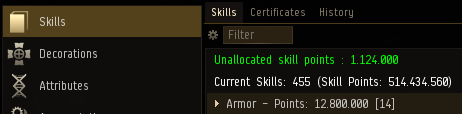
A character may find itself having unallocated skillpoints, most often after skills have been removed from the game during balancing passes or if the character has received any skill point reimbursements. If any unallocated skill points are available, their amount will be indicated within the skills listing of the character.
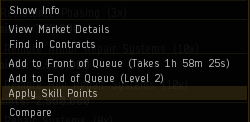
Those unallocated skill points can be put towards any skill that has been injected into the characters skill list by right clicking the skill and selecting "Apply Skill Points" from the context menu. Any active skill training with the character will have to be paused before unallocated skill points can be applied to a skill.
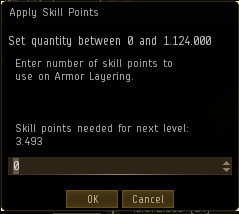
This will open the "Apply Skill Points" dialogue, where the amount of skillpoints to be placed into the selected skill can be specified.